


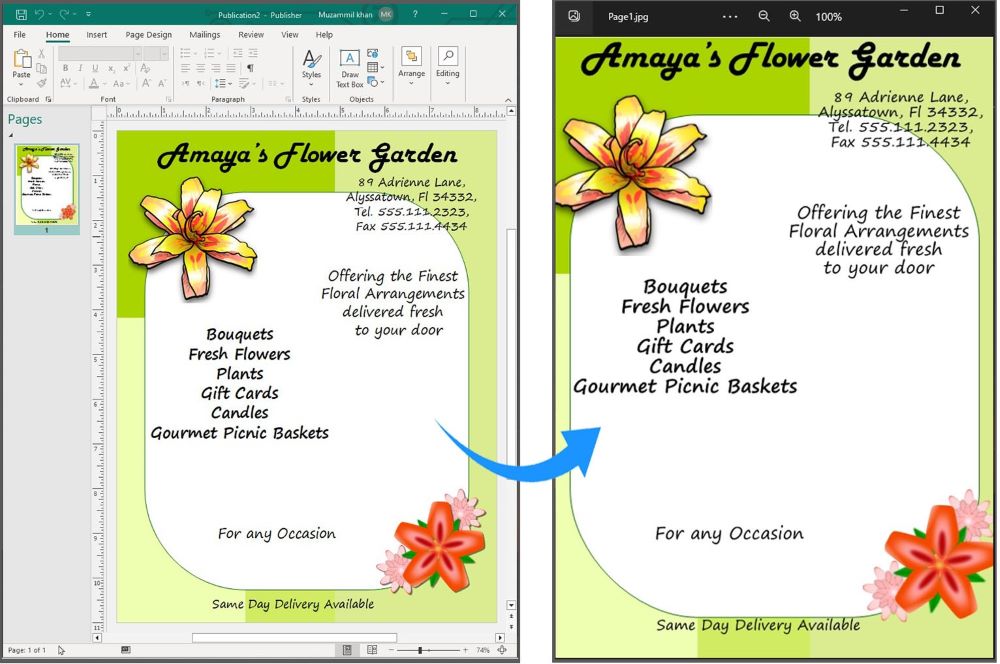
Publisher 是微软公司推出的一款桌面排版软件应用程序,用于制作各种出版物,如新闻通讯、小册子、传单等。然而,PUB 文件并不被广泛支持,因此在某些情况下,我们可能需要通过编程将 PUB 文件转换为 JPG 图像。在本文中,我们将向您展示如何用 C# 将 Publisher 转换为 JPG。我们将提供分步指南和代码片段,以帮助您入门。
本文涵盖以下主题:
将 Publisher 转换为 JPG 的 C# API
将 Publisher 文件转换为 JPG 的步骤
用 C# 将 Publisher 转换为 JPG
在线将 Publisher 文件转换为 JPG 文件
将 Publisher 转换为 JPG 的 C# API
将 Publisher 转换为 JPG 包括两个步骤。首先,我们将使用 Aspose.PUB for .NET API 将 PUB 文件加载并渲染为 PDF 格式,然后使用 Aspose.PDF for .NET API 将 PDF 文件的页面转换为 JPG 图像。
Aspose.PUB for .NET允许开发人员在其.NET应用程序中无缝地处理Microsoft Publisher文件(PUB)。它为读取、写入、转换和操作 PUB 文件提供了一套全面的功能。而 Aspose.PDF for .NET 则是一个多功能工具,可用于执行与 PDF 文件相关的各种任务。
请下载 API 的动态链接库,或使用以下 NuGet 命令进行安装:
PM> Install-Package Aspose.PUB
PM> Install-Package Aspose.PDF
如何将出版商 PUB 文件转换为 JPG 图像
通过以下步骤,我们可以轻松地将 PUB 文件转换为 JPG 图像:
创建 PUB 解析器并解析 PUB 文件。
将 PUB 转换为 PDF 文件流。
循环浏览 PDF 文档的所有页面。
创建一个 Jpeg 设备,处理页面并保存为 JPG 图像。
现在,让我们看看如何在 C# 中执行这些步骤,将 Publisher PUB 文件转换为 JPG 文件。
用 C# 将 Publisher 转换为 JPG 图像
请按照以下步骤用 C# 编程将 Publisher 文件转换为 JPG 图像:
使用 PubFactory 类的 CreateParser() 方法创建 PUB 解析器。
使用 Parse() 方法解析加载的 Publisher 文件。
初始化 MemoryStream 对象以保存 PDF 文件。
使用 ConvertToPdf() 方法将 PUB 转换为 PDF。
使用 PDF 流创建 Document 类实例。
使用 PdfFileInfo 类对象获取文件信息。
循环浏览 PDF 文档的页面,获取高度、宽度并设置分辨率。
然后,创建一个具有页面高度、宽度和分辨率的 JpegDevice 实例。
最后,调用 Process() 方法保存为 JPG 格式。该方法将页面和输出图像文件路径作为参数。
以下代码示例展示了如何用 C# 将 Publisher 转换为 JPG。
// This code example demonstrates how to convert Publisher PUB file to JPG image format.
// Load PUB file and create PUB Parser
var parser = PubFactory.CreateParser("C:\\Files\\sample.pub");
// Parse the PUB file
var doc = parser.Parse();
// Initialize memory stream
MemoryStream stream = new MemoryStream();
// Convert PUB to PDF file
PubFactory.CreatePdfConverter().ConvertToPdf(doc, stream);
// Load PDF document stream
Aspose.Pdf.Document document = new Aspose.Pdf.Document(stream);
// Get PDF file info
PdfFileInfo info = new PdfFileInfo(document);
// Loop through all the pages of PDF
foreach (Page page in document.Pages)
{
// Get Page width and height
int width = Convert.ToInt32(info.GetPageWidth(page.Number));
int height = Convert.ToInt32(info.GetPageHeight(page.Number));
// Create Resolution object
Resolution resolution = new Resolution(300);
// Create Jpeg device with specified Width, Height, and Resolution
JpegDevice JpegDevice = new JpegDevice(width, height, resolution);
// Process the Page file and save output JPEG image
JpegDevice.Process(page, "C:\\Files\\Page" + page.Number + ".jpg");
}
获取免费许可证
您可以获得免费的临时许可证,在没有评估限制的情况下试用程序库。
PUB 到 JPG 转换器 - 免费在线
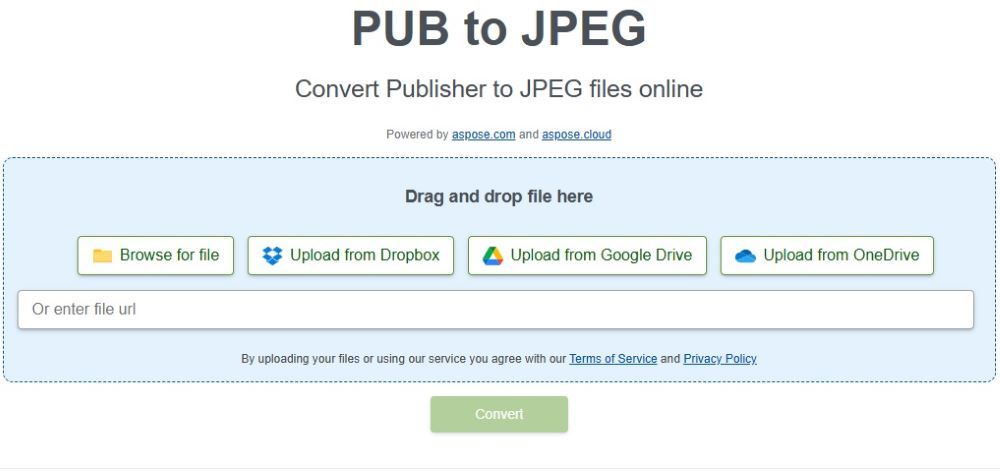
您可以试用这款免费的在线 PUB 到 JPG 转换器应用程序,无需安装任何软件或插件即可将出版者文件转换为 JPG 图像。
结论
在本文中,我们向你展示了如何用 C# 将 Publisher 转换为 JPG。我们提供了分步指南和代码片段,以帮助您开始使用。将 Publisher 文件转换为 JPG 是一项相对简单的任务,本博文中提供的代码片段可作为开发自己的 Publisher 到 JPG 转换器应用程序的起点。如果有任何不清楚的地方,请随时与我们联系。





 渝公网安备50010702505508