


在制作演示文稿时,我们经常需要更改某个特定单词的所有出现次数。手动修改可能会耗费大量时间,尤其是在需要处理大量幻灯片的情况下。为了简化这一过程,我们将创建一个宏来替换演示文稿编辑器中的特定单词。

构建宏
const oPresentation = Api.GetPresentation(); //get the current presentation
首先,我们在 oPresentation 变量中获取当前的演示文稿。
for (
var slideIndex = 0;
slideIndex < oPresentation.GetSlidesCount();
slideIndex++
) {
这个宏涉及嵌套的 for 循环。在第一个 for 循环中,我们遍历演示文稿中的所有幻灯片。
var oSlide = oPresentation.GetSlideByIndex(slideIndex);
var aShape = oSlide.GetAllShapes(); //get all the shapes from different slides
这些行获取特定幻灯片中可能存在的所有形状,并将其详细信息推送到 aShape 数组中。
for (var shapeIndex = 0; shapeIndex < aShape.length; shapeIndex++) {
var content = aShape[shapeIndex].GetDocContent();
在第二个 for 循环中,我们将获取特定电子表格中每个形状的内容。
if (content) {
var count = content.GetElementsCount();
for (var elementIndex = 0; elementIndex < count; elementIndex++) {
var element = content.GetElement(elementIndex);
我们要确保 content 变量存在,并获取 content 中所有元素的计数。
if (element) {
const rawText = element.GetText(); //gets the text from a particular element
element.Delete(); //delete the content
const wordToFind = "apple"; // Replace "apple" with the word you want to find
const replacementWord = "banana"; // Replace "banana" with the word you want to replace it with
const cleanedText = rawText.replace(
new RegExp(wordToFind, "g"),
replacementWord
);
首先,我们要确保变量元素有效。如果元素存在,我们就复制原始文本,并使用 element.delete() 方法删除内容。
然后,我们在各自的变量中指定要替换的单词和替换单词,并执行替换,将新文本存储到 cleanedText 变量中。
var oParagraph = Api.CreateParagraph();
var oRun = Api.CreateRun();
oRun.AddText(cleanedText);
oParagraph.AddElement(oRun);
content.Push(oParagraph);
最后,我们创建一个新段落,并在其中添加已清理文本。段落元素设置完成后,我们使用上述代码将其添加回幻灯片,替换掉之前删除的段落元素。
完整的宏代码
以下是整个宏的代码:
(function () {
const oPresentation = Api.GetPresentation(); //get the current presentation
for (
var slideIndex = 0;
slideIndex < oPresentation.GetSlidesCount();
slideIndex++
) {
var oSlide = oPresentation.GetSlideByIndex(slideIndex);
var aShape = oSlide.GetAllShapes(); //get all the shapes from different slides
for (var shapeIndex = 0; shapeIndex < aShape.length; shapeIndex++) {
var content = aShape[shapeIndex].GetDocContent();
// Check if content exists before proceeding
if (content) {
var count = content.GetElementsCount();
for (var elementIndex = 0; elementIndex < count; elementIndex++) {
var element = content.GetElement(elementIndex);
// Check if element is valid before using it
if (element) {
const rawText = element.GetText(); //gets the text from a particular element
element.Delete(); //delete the content
const wordToFind = "apple"; // Replace "apple" with the word you want to find
const replacementWord = "banana"; // Replace "banana" with the word you want to replace it with
const cleanedText = rawText.replace(
new RegExp(wordToFind, "g"),
replacementWord
);
//creates a new paragragh, and restores the content which was deleted, with the cleaned text.
var oParagraph = Api.CreateParagraph();
var oRun = Api.CreateRun();
oRun.AddText(cleanedText);
oParagraph.AddElement(oRun);
content.Push(oParagraph);
}
}
}
}
}
})();
让我们运行宏,看看结果如何!
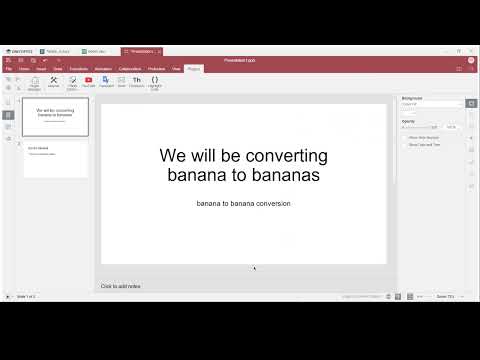
我们希望这个宏能对您有所帮助,并简化您的演示工作流程。
不要错过利用ONLYOFFICE API强大功能的机会。我们广泛的API方法库是您将想法变为现实的关键。如果您有任何问题或创新理念,我们鼓励您与我们分享。我们非常重视您的意见,也非常期待与您合作的可能性。祝您在探索过程中一切顺利!


 渝公网安备50010702505508