



二维码用于在很小的空间内存储大量数据。它们易于使用,智能手机或其他设备扫描后即可打开网站、观看视频或访问其他编码信息。在本文中,我们将学习如何用 C# 编程生成基于文本的二维码。我们将提供分步指南和代码片段,帮助您用 C# 开发自己的文本二维码生成器。
本文涵盖以下主题:
C# 文本到 QR 代码生成器 API
在 C# 中将文本转换为二维码
自定义文本到 QR 码的生成
用文本生成 QR 码
文本到 QR 代码在线生成器
C# 文本到 QR 码生成器 API
要将任何文本转换为二维码,我们将使用 Aspose.BarCode for .NET API。它允许在 .NET 应用程序中生成、扫描和读取条形码和 QR 码。该 API 允许开发人员轻松地将生成的条形码或 QR 码保存为各种图像格式,如 PNG、JPEG 和 TIFF。它支持 60 多种条形码符号,如 QR 码、Code 128、Code 39、EAN、UPC 等。
请下载 API 的 DLL 或使用以下 NuGet 命令进行安装:
PM> Install-Package Aspose.BarCode
在 C# 中将文本转换为 QR 码
通过以下步骤,我们可以轻松地从任何提供的文本中生成 QR 码:
创建 BarcodeGenerator 类的实例。
将 EncodeTypes 设置为 QR。
指定要编码的输入文本。
可选择指定 QR 代码自定义选项。
最后,调用 Save() 方法将生成的 QR 代码图像保存在给定的文件路径下。
以下代码示例展示了如何用 C# 将文本转换为二维码。
// This code example demonstartes how to generate a QR code from Text.
// Initialize the BarcodeGenerator
// Specify Encode type as QR
var generator = new BarcodeGenerator(EncodeTypes.QR);
// Specify code text to encode
generator.CodeText = "Your text goes here!";
// Specify the size of the image
generator.Parameters.Barcode.XDimension.Pixels = 8;
generator.Parameters.Resolution = 500;
// Save the generated QR code
generator.Save("C:\\Files\\Text_QR_Code.jpg");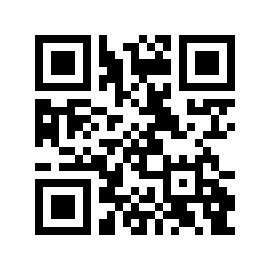
在 C# 中自定义文本到 QR 码的生成
我们可以按照前面提到的步骤自定义由文本生成的 QR 码的外观。不过,我们还需要设置一些其他属性,以自定义背景颜色、边框颜色、图像高度等。
以下代码示例展示了如何在 C# 中自定义文本到 QR 代码的生成。
// This code example demonstartes how to generate a QR code from Text.
// Initialize the BarcodeGenerator
// Specify Encode type as QR
var generator = new BarcodeGenerator(EncodeTypes.QR);
// Specify code text to encode
generator.CodeText = "Your text goes here!";
// Specify the size of the image
generator.Parameters.Barcode.XDimension.Pixels = 8;
// Set background color
generator.Parameters.BackColor = Color.Red;
// Set QR color
generator.Parameters.Barcode.BarColor = Color.Blue;
// Set image resolution
generator.Parameters.Resolution = 300;
// Set border
generator.Parameters.Border.DashStyle = BorderDashStyle.Solid;
generator.Parameters.Border.Color = Color.Yellow;
generator.Parameters.Border.Visible = true;
generator.Parameters.Border.Width.Point = 4;
// Save the generated QR code
generator.Save("C:\\Files\\Customized_QR_Code.jpg");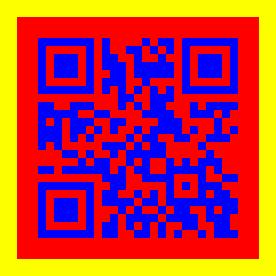
在 C# 中生成带文本的 QR 码
我们还可以在生成的 QR 码图像中添加人类可读文本。它可以是主文本标签、顶部标题或底部标题。我们可以按照前面提到的步骤在下面添加代码文本和标题。不过,我们只需设置 CodeTextParameters 和 CaptionBelow 属性,如下所示:
// This code example demonstartes how to generate a QR code from Text.
// Initialize the BarcodeGenerator
// Specify Encode type as QR
var generator = new BarcodeGenerator(EncodeTypes.QR);
// Specify code text to encode
generator.CodeText = "Your text goes here!";
// Specify the size of the image
generator.Parameters.Barcode.XDimension.Pixels = 8;
// Set background color
generator.Parameters.BackColor = Color.White;
// Set QR color
generator.Parameters.Barcode.BarColor = Color.Blue;
// Set image resolution
generator.Parameters.Resolution = 300;
// Set border
generator.Parameters.Border.DashStyle = BorderDashStyle.Solid;
generator.Parameters.Border.Color = Color.Red;
generator.Parameters.Border.Visible = true;
generator.Parameters.Border.Width.Point = 4;
// Show the code text above the QR code
generator.Parameters.Barcode.CodeTextParameters.TwoDDisplayText = "Aspose.BarCode";
generator.Parameters.Barcode.CodeTextParameters.Location = CodeLocation.Above;
// Set the caption below the QR code
generator.Parameters.Barcode.CodeTextParameters.TwoDDisplayText = "HELLO";
generator.Parameters.CaptionBelow.Text = "ASPOSE";
generator.Parameters.CaptionBelow.Visible = true;
generator.Parameters.CaptionBelow.Font.Style = FontStyle.Bold;
generator.Parameters.CaptionBelow.Font.Size.Pixels = 18;
generator.Parameters.CaptionBelow.Font.FamilyName = "Verdana";
// Save the generated QR code
generator.Save("C:\\Files\\QR_Code_with_text.jpg");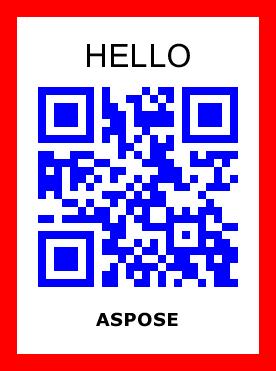
文本到 QR 代码生成器 - 获取免费许可证
您可以获得免费的临时许可证,在没有评估限制的情况下试用该库。
文本到 QR 代码在线生成器
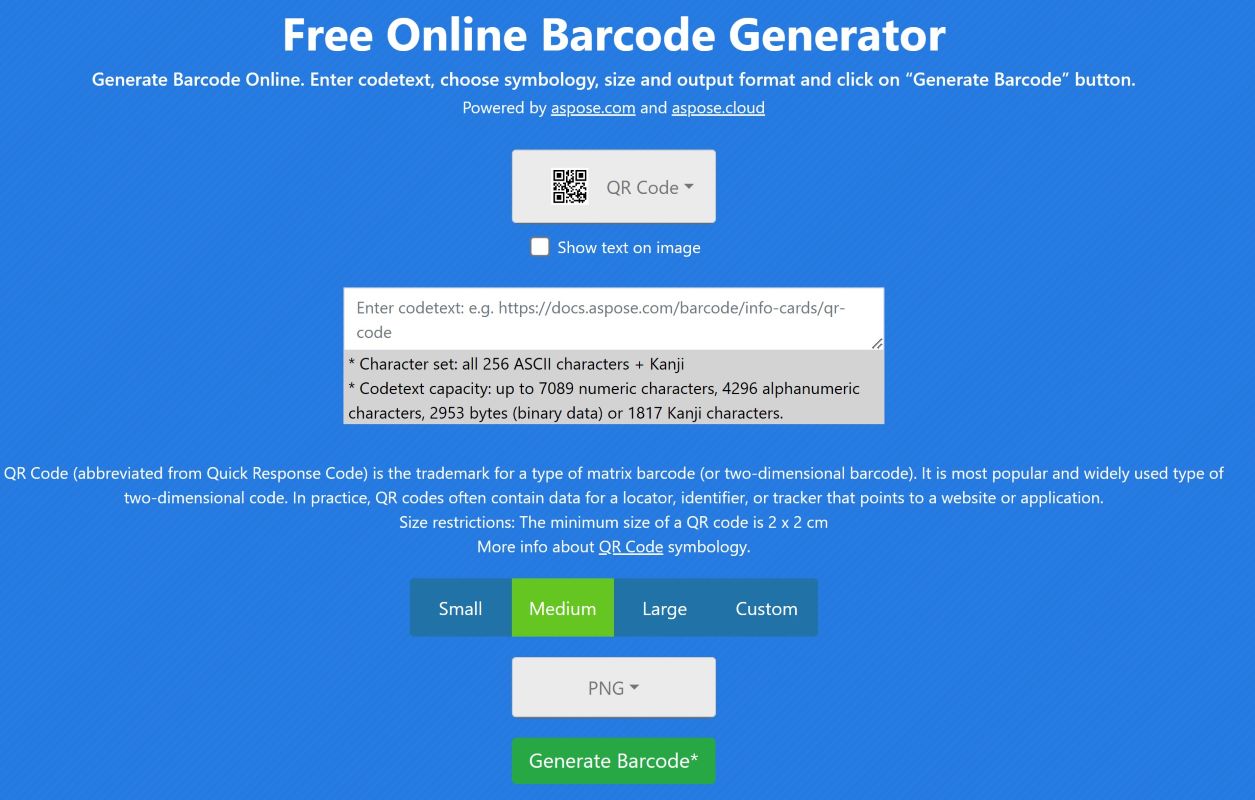
您可以使用使用此 API 开发的在线 QR 代码生成器网络应用程序,免费从在线输入的任何文本生成 QR 代码。
结论
在本文中,我们学习了如何用 C# 开发文本二维码生成器。我们还了解了如何自定义 QR 代码并为生成的图像添加标题。利用 Aspose.BarCode for .NET,您可以创建令人惊叹的二维码,用于网站链接、联系信息等。如果有任何不清楚的地方,请随时与我们联系。





 渝公网安备50010702505508