


我们经常会收到尺寸不符合要求的 JPG 图像,因此我们需要相应地调整它们的大小。在本文中,我们将学习如何用 Python 调整 JPG 图像的大小。本文提供了分步指南和代码片段。
本文涵盖以下主题:
调整 JPG 图像大小的 Python API
调整 JPG 图像大小
使用调整大小类型调整 JPG 图像大小
按比例调整 JPG 图像大小
尝试在线调整 JPG 图像大小
用 Python 调整图像大小 - 免费下载
我们将使用 Aspose.Imaging for Python 以编程方式调整图像大小。它提供了功能强大的图像处理 API,可处理各种类型的光栅和矢量图像。它使开发人员能够轻松创建、加载、处理、转换和压缩支持文件格式的图像或照片。
请在控制台中使用以下 pip 命令从 PyPI 下载软件包或安装 API:
PM> pip install aspose-imaging-python-net
用 Python 调整 JPG 图像大小
通过以下步骤,我们可以在 Python 中轻松调整 JPG 图像的大小:
使用 Image 类加载图像文件。
然后,使用 Image.resize(int, int) 方法调整图像大小。
最后,调用 Image.save(string) 方法将调整后的图像保存到指定的文件路径。
以下代码示例展示了如何在 Python 中调整图像大小。
from aspose.imaging import *
from aspose.imaging.imageoptions import *
from aspose.imaging.sources import *
from aspose.imaging.fileformats import *
import os
# load the image
image = Image.load("C:\\Files\\aspose-logo.jpg")
# resize image and save the resized image
image.resize(300, 300);
# save the resized image
image.save("C:\\Files\\SimpleResizing_out.jpg");
使用调整大小类型调整 JPG 图像大小
我们还可以在调整 JPG 图像大小时指定调整类型。为此,我们只需指定 ResizeType 作为 Image.resize(int, int, ResizeType) 方法的参数。ResizeType 枚举指定了我们可以根据需要使用的调整大小技术。支持的大小调整类型的完整列表请点击此处。
以下代码示例展示了如何在 Python 中使用 resize 类型调整图像大小。
from aspose.imaging import *
from aspose.imaging.imageoptions import *
from aspose.imaging.sources import *
from aspose.imaging.fileformats import *
import os
# load the image
image = Image.load("C:\\Files\\aspose-logo.jpg")
# resize image and save the resized image
image.resize(300, 300, ResizeType.LANCZOS_RESAMPLE)
# save the resized image
image.save("C:\\Files\\ResizeType_out.jpg");
用 Python 按比例调整图像大小
通过指定高度和宽度来调整图像大小会导致图像缩小或缩放。因此,有必要手动计算长宽比。然而,长宽比计算中的任何错误都可能导致图像拉伸。为了避免此类问题,可以采用比例调整大小的方法。以下步骤概述了如何实现这一目的:
使用图像类加载图像文件。
指定图像的新高度和宽度。
使用 Image.resize_width_proportionally(int) 和 Image.resize_height_proportionally(int) 方法计算比例值。
最后,调用 Image.save(string) 方法将调整后的图像保存到指定的文件路径。
以下代码示例展示了如何在 Python 中按比例调整图像大小。
from aspose.imaging import *
from aspose.imaging.imageoptions import *
from aspose.imaging.sources import *
from aspose.imaging.fileformats import *
import os
# load the image
image = Image.load("C:\\Files\\aspose-logo.jpg")
# specify width and height
newWidth = int(image.width / 2);
image.resize_width_proportionally(newWidth);
newHeight = int(image.height / 2);
image.resize_height_proportionally(newHeight);
# save the resized image
image.save("C:\\Files\\ProportionalResizing_out.jpg");
如果您想在按比例调整图像大小时使用任何特定的调整类型,请使用重载方法 Image.resize_width_proportionally(int, ResizeType) 和 Image.resize_height_proportionally(int, ResizeType)。
使用免费许可证调整图像大小
您可以获得免费的临时许可证来调整图像大小,而不受评估限制。
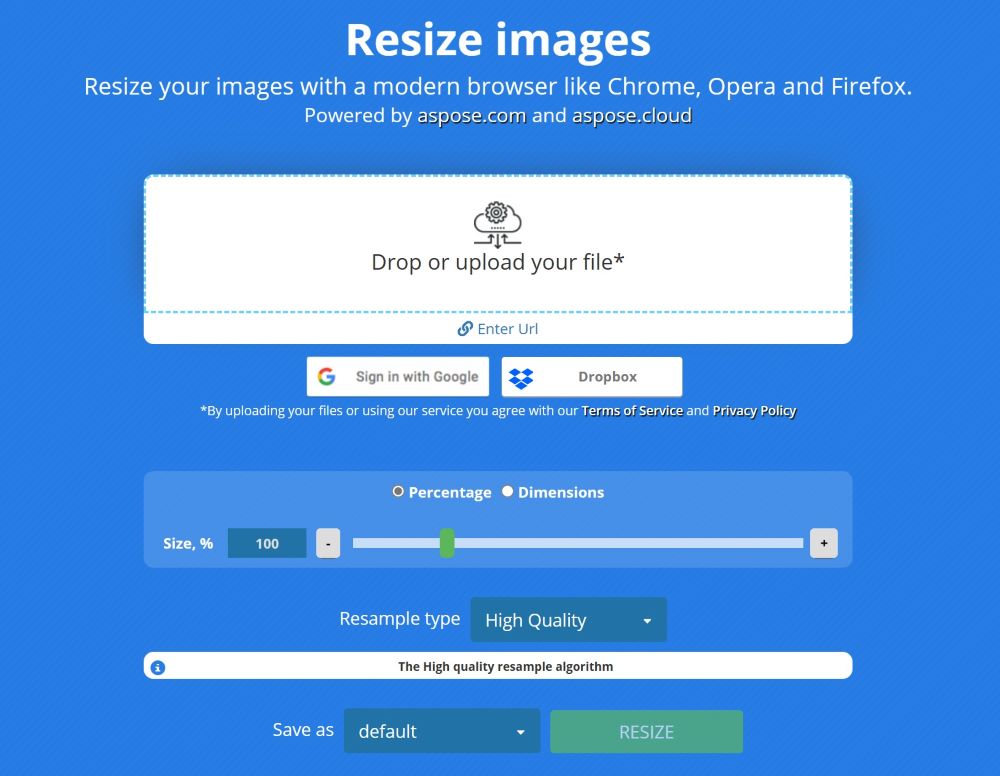
在线调整 JPG 图像大小
您还可以使用使用此 API 开发的免费图像调整器网络应用程序,在线调整 JPG 图像大小。
结论
在本文中,我们学习了如何用 Python 编程调整 JPG 图像的大小。本文提供的代码示例演示了如何执行简单的图像大小调整或使用特定类型调整图像大小。此外,您还可以从 GitHub 下载源代码示例的完整软件包。如有任何疑问,您可以联系我们。





 渝公网安备50010702505508