


Microsoft Project (MPP) 文件通常用于规划和组织项目,包含有关任务、时间表、资源等重要信息。不过,在某些情况下,共享或可视化这些数据可能需要完全不同的格式,如 TIFF。TIFF 是一种通用的图像格式,广泛支持各种平台和应用程序,是注释、图表或任何其他从 MPP 文件衍生的可视化表示的理想选择。在本文中,我们将学习如何用 Python 将 MPP 转换为 TIFF。
本文涵盖以下主题:
将 MPP 转换为 TIFF 的 Python 库
将 MPP 转换为 TIFF
将 MPP 转换为带压缩的 TIFF
移除压缩并将 MPP 转换为 TIFF
将 MPP 在线转换为 TIFF
将 MPP 转换为 TIFF 的 Python 库
我们将使用 Aspose.Tasks for Python 将 MPP 文件转换为 TIFF 图像。这是一个功能强大的库,用于在 Python 应用程序中使用 Microsoft Project。它允许您读取、写入、操作和转换 Microsoft Project 文件,而无需安装 Microsoft Project。
请在控制台中使用以下 pip 命令从 PyPI 下载软件包或安装 API:
pip install aspose-tasks
使用 Python 将 MPP 转换为 TIFF
通过以下步骤,我们可以轻松地将 MPP 文件中的项目数据导出为多页 TIFF 图像:
使用 Project 类加载 MPP 文件。
使用 save() 方法保存为 TIFF 文件。该方法将输出 TIFF 文件路径和 SaveFileFormat 作为参数。
以下示例代码展示了如何在 Python 中将 MPP 转换为 TIFF。
# This code example demonstrates how to convert MPP to TIFF in Python.
import aspose.tasks as tasks
# Load the input Project file
project = tasks.Project("D:\\Files\\Blank2010.mpp");
# Save the project as TIFF
project.save("D:\\Files\\Blank2010_out.tif", tasks.saving.SaveFileFormat.TIFF);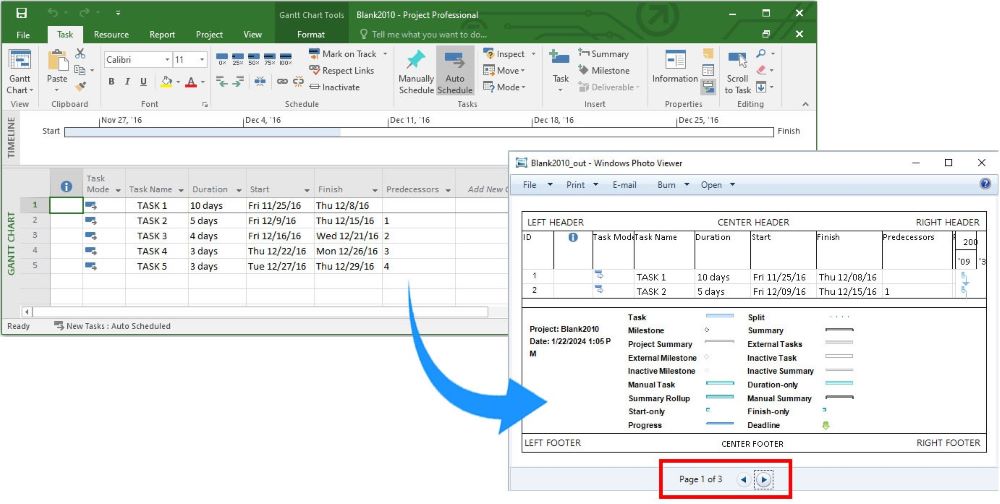
使用 Python 将 MPP 转换为带压缩功能的 TIFF
在将 MPP 转换为 TIFF 时,我们可以按照下面给出的步骤应用 TIFF 压缩:
使用 Project 类加载 MPP 文件。
创建 ImageSaveOptions 类的实例。
然后,指定 tiff_compression。
最后,调用 save() 方法。该方法将输出 TIFF 文件路径和 SaveOptions 作为参数。
以下示例代码展示了如何用 Python 将 MPP 转换为带压缩的 TIFF 文件。
# This code example demonstrates how to apply compression while converting MPP to TIFF in Python.
import aspose.tasks as tasks
# Load the input Project file
project = tasks.Project("D:\\Files\\Blank2010.mpp");
# Define image save options
options = tasks.saving.ImageSaveOptions(tasks.saving.SaveFileFormat.TIFF);
# Specify CCITT4 compression
options.tiff_compression = tasks.saving.TiffCompression.CCITT4;
# Save the project as TIFF
project.save("D:\\Files\\Blank2010_comp_out.tif", options);
使用 Python 去除压缩并将 MPP 转换为 TIFF
同样,我们也可以移除 TIFF 压缩,然后按照上述步骤将 MPP 文件转换为 TIFF 格式。不过,我们只需在步骤 #3 中将 tiff_compression 设置为 TiffCompression.NONE。
以下示例代码展示了如何在 Python 中移除压缩并将 MPP 转换为 TIFF。
# This code example demonstrates how to apply compression while converting MPP to TIFF in Python.
import aspose.tasks as tasks
# Load the input Project file
project = tasks.Project("D:\\Files\\Blank2010.mpp");
# Define image save options
options = tasks.saving.ImageSaveOptions(tasks.saving.SaveFileFormat.TIFF);
# Remove the compression
options.tiff_compression = tasks.saving.TiffCompression.NONE;
# Save the project as TIFF
project.save("D:\\Files\\Blank2010_remove_comp_out.tif", options);
获取免费许可证
您可以获得免费的临时许可证,在没有评估限制的情况下试用程序库。
免费在线将 MPP 转换为 TIFF
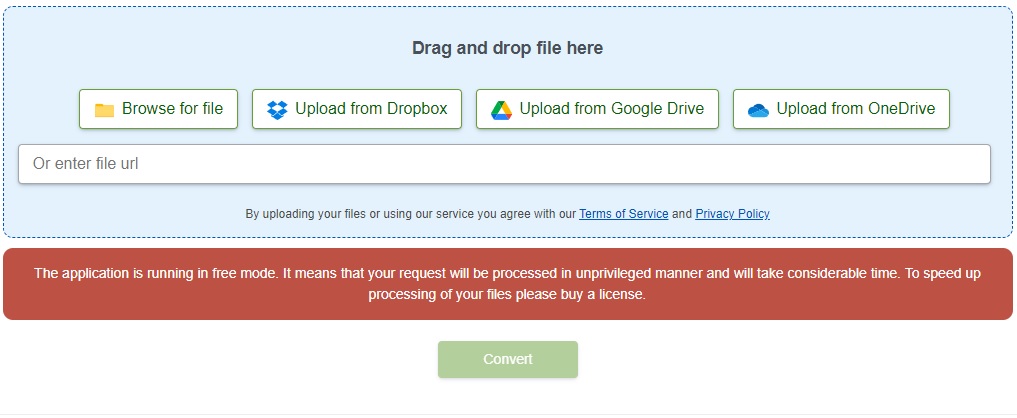
您还可以使用此 MPP 到 TIFF 转换器网络应用程序,免费在线将 MPP 文件转换为 TIFF 格式。此网络应用程序是使用上述 API 开发的。
结论
在本文中,我们学习了如何用 Python 编程将 MPP 转换为 TIFF。我们还学习了如何指定图像保存选项和设置 TIFF 压缩。利用 Aspose.Tasks for Python via .NET API,您可以毫不费力地将项目数据从 MPP 文件导出为各种其他格式。如果有任何不清楚的地方,请联系我们。






 渝公网安备50010702505508