


随着在线协作和远程工作的需求日益增长,提供可互操作的文件格式是非常必要的。如果你是一名桌面出版爱好者,经常使用 Microsoft Publisher 工作,但需要以 PowerPoint 演示文稿格式共享内容,那么就会出现兼容性问题。在本文中,我们将探讨将 Publisher 在线转换为 PowerPoint 的难易程度和效率。
将 Publisher 转换为 PowerPoint - 免费在线
使用这款免费的在线 PUB 到 PPTX 转换器应用程序,将您的出版商文件转换为 PowerPoint 演示文稿。它不需要安装任何软件或插件。
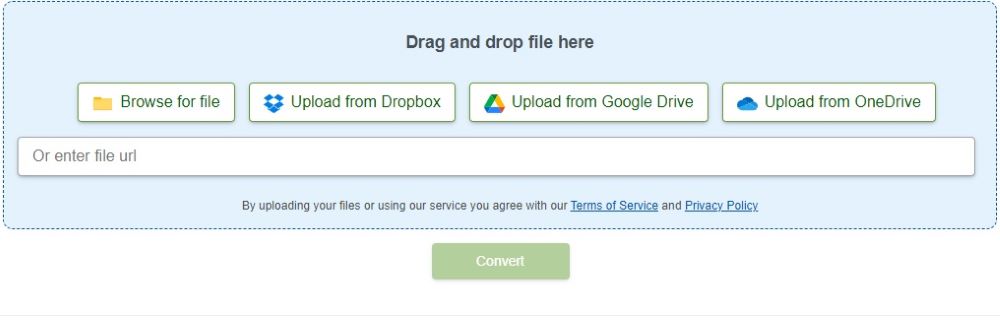
如何将 Publisher 在线转换为 PowerPoint
拖放 PUB 文件,或使用在线链接从 OneDrive、Google Drive 等处访问文件。
单击 "转换 "按钮执行 PUB 转换。
输出的 PPTX 将准备下载。
将输出的 PPTX 保存到您的电脑或移动设备上。
您的数据不会保存在我们的服务器上,因此下载链接将在 24 小时后停止工作。
将 Publisher 转换为 PowerPoint:开发人员指南
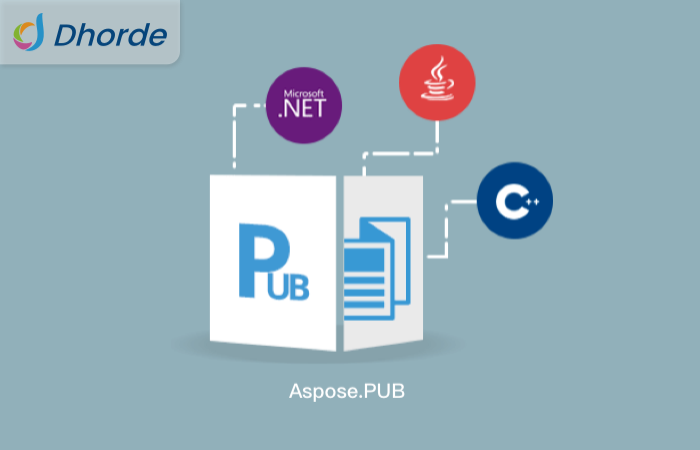
我们可以分两步将任何出版商文件从 PUB 格式转换为 PowerPoint 演示文稿 PPTX 文件。首先,我们将使用 Aspose.PUB API 加载 PUB 文件并将其转换为 PDF 格式。然后,我们将使用 Aspose.PDF API 将 PDF 文件的页面渲染为 PPT 或 PPTX。
以下部分提供了在 .NET 或 Java 中以编程方式将 PUB 文件转换为 PPTX 的步骤和代码示例。
在 C# 中将 Publisher 转换为 PowerPoint
在 Java 中将 Publisher 转换为 PowerPoint
许可
用 C# 将 Publisher 转换为 PowerPoint
通过以下步骤,我们可以在 C# 中轻松地将任何 PUB 文件转换为 PPTX:
在应用程序中安装 Aspose.PUB for .NET 和 Aspose.PDF for .NET。
使用以下代码示例加载 PUB 文件并将其转换为 PPTX。
以下代码示例展示了如何在 C# 中将 Publisher 转换为 PowerPoint。
// This code example demonstrates how to convert Publisher file into PowerPoint presentation in C#.
string fileName = "Test.pub";
// Initialize a MemoryStream to hold output document
MemoryStream stream = new MemoryStream();
// Load input PUB file
IPubParser parser = PubFactory.CreateParser(fileName);
// Parse the input publisher file
Aspose.Pub.Document doc = parser.Parse();
// Convert the PUB file to PDF and save result in a MemoryStream
PubFactory.CreatePdfConverter().ConvertToPdf(doc, stream);
// Load input PDF file from the MemoryStream
Document document = new Document(stream);
// Initialize PptxSaveOptions class object
PptxSaveOptions options = new PptxSaveOptions();
// Save output presentation file (PPT/PPTX)
document.Save("Output.pptx", options);
用 Java 将 Publisher 转换为 PowerPoint
同样,我们也可以通过以下步骤在 Java 中将 PUB 文件转换为 PPTX:
在应用程序中安装 Aspose.PUB for Java 和 Aspose.PDF for Java。
使用以下代码示例加载 PUB 文件并将其转换为 PPTX。
以下代码示例展示了如何在 Java 中将 Publisher 转换为 PowerPoint。
// This code example demonstrates how to convert Publisher file into PowerPoint presentation in Java.
// Specify path for input Publisher file
String fileName = "Test.pub";
// Initialize ByteArrayOutputStream to hold intermediary PDF file.
final ByteArrayOutputStream os = new ByteArrayOutputStream();
// Initialize Pub Parser for the PUB file
IPubParser parser = PubFactory.createParser(fileName);
// Parse the Publisher file
com.aspose.pub.Document doc = parser.parse();
// Convert PUB to PDF file and save output into the stream
PubFactory.createPdfConverter().convertToPdf(doc, os);
// Load the intermediary PDF document
Document pdfDocument = new Document(os.toByteArray());
// Convert or Export the file to PPTX format
pdfDocument.save("Output.pptx", new PptxSaveOptions());
获取免费许可证
您可以获得免费的临时许可证,在没有评估限制的情况下试用程序库。
结论
在本文中,我们向你展示了如何将 Publisher 在线转换为 PowerPoint。我们提供了分步指南和代码片段,以帮助您开发自己的转换器应用程序。如果有任何不清楚的地方,请随时联系我们。





 渝公网安备50010702505508