


无论您是在审核内容、查看重要单词,还是只是想更好地理解数据,了解某个单词的出现频率都非常方便。在本篇教程中,我们将向您展示如何创建一个宏,计算特定单词在文档中出现的次数。

构建宏
(function () {
  const oDocument = Api.GetDocument();
  const oRange = oDocument.GetRangeBySelect();
  const targetWord = "apple";
首先,我们在 oDocument 变量中获取工作文件,在 oRange 中获取文本选区。targetWord 变量包含要搜索的单词。应将其替换为您想在文档中搜索的单词。
    const rawText = oRange.GetText();
    var wordRegex = new RegExp("\\b" + targetWord + "\\b", "gi");
    var matches = rawText.match(wordRegex);
接下来,选区中的文本被提取到 rawText 中。正则表达式会在整个文档中检查指定的单词。该正则表达式存储在 wordRegex 中。然后,我们使用 match 方法和 wordRegex,将 targetWord 的所有实例存储到 matches 数组中。
    let count = 0;
    for (let i = 0; i < matches.length; i++) {
      count++;
    }
    const wordInstances = count;
计算 targetWord 的长度并将其存储到 wordInstances 变量中。
    return wordInstances;
  }
最后,函数返回其作用域末尾的 wordInstances 变量。
  const ans = addCommentToWord();
  oRange.AddComment(
    `The word ${targetWord} is repeated ${ans} times throughout this text.`
  );
最后,我们将函数的返回值存储在 ans 中,并附带一条注释,详细说明重复词在选区中的总出现次数。
完整的宏代码
下面是整个宏的代码:
(function () {
  const oDocument = Api.GetDocument();
  const oRange = oDocument.GetRangeBySelect();
  const targetWord = "apple";
  function addCommentToWord() {
    const rawText = oRange.GetText();
    // Specify the target word and the length of the word
    // Find all occurrences of the target word in the document
    var wordRegex = new RegExp("\\b" + targetWord + "\\b", "gi");
    var matches = rawText.match(wordRegex);
    let count = 0;
    for (let i = 0; i < matches.length; i++) {
      count++;
    }
    const wordInstances = count;
    return wordInstances;
  }
  // `The word `${targetword} has been repeated ${wordInstances} times.`
  const ans = addCommentToWord();
  oRange.AddComment(
    `The word ${targetWord} is repeated ${ans} times throughout this text.`
  );
})();
让我们来看看我们的宏操作!
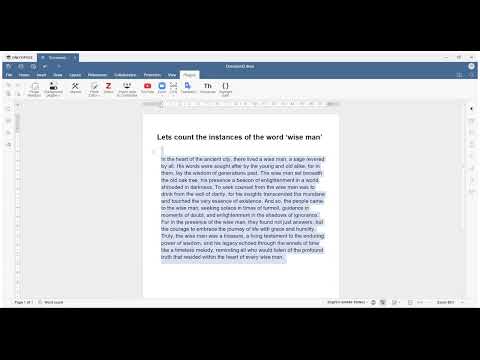
我们相信,通过毫不费力地统计单词出现次数、提升整体工作流程、简化和完善内容评估,该宏将使您的文档分析工作变得轻而易举。
不要错过利用 ONLYOFFICE API 的强大功能的机会。我们广泛的API方法库是您将想法转化为现实的关键。如果您有任何问题或创新理念,我们鼓励您与我们分享。我们非常重视您的意见,也非常期待与您合作的可能性。祝您在探索过程中一切顺利!




 渝公网安备50010702505508