


我们很高兴在 ONLYOFFICE Docs 8.1 中引入自定义函数。 这项新功能将大大增强您在 ONLYOFFICE 电子表格编辑器中使用宏的体验。

关于自定义函数
这是一项允许您插入自定义函数的功能,用于计算各种参数和公式。 有了它,您可以添加特定函数来执行特定计算,然后在宏代码中使用这些函数。
下面是一个自定义函数的示例,该函数根据特定条件计算两个数字的和:
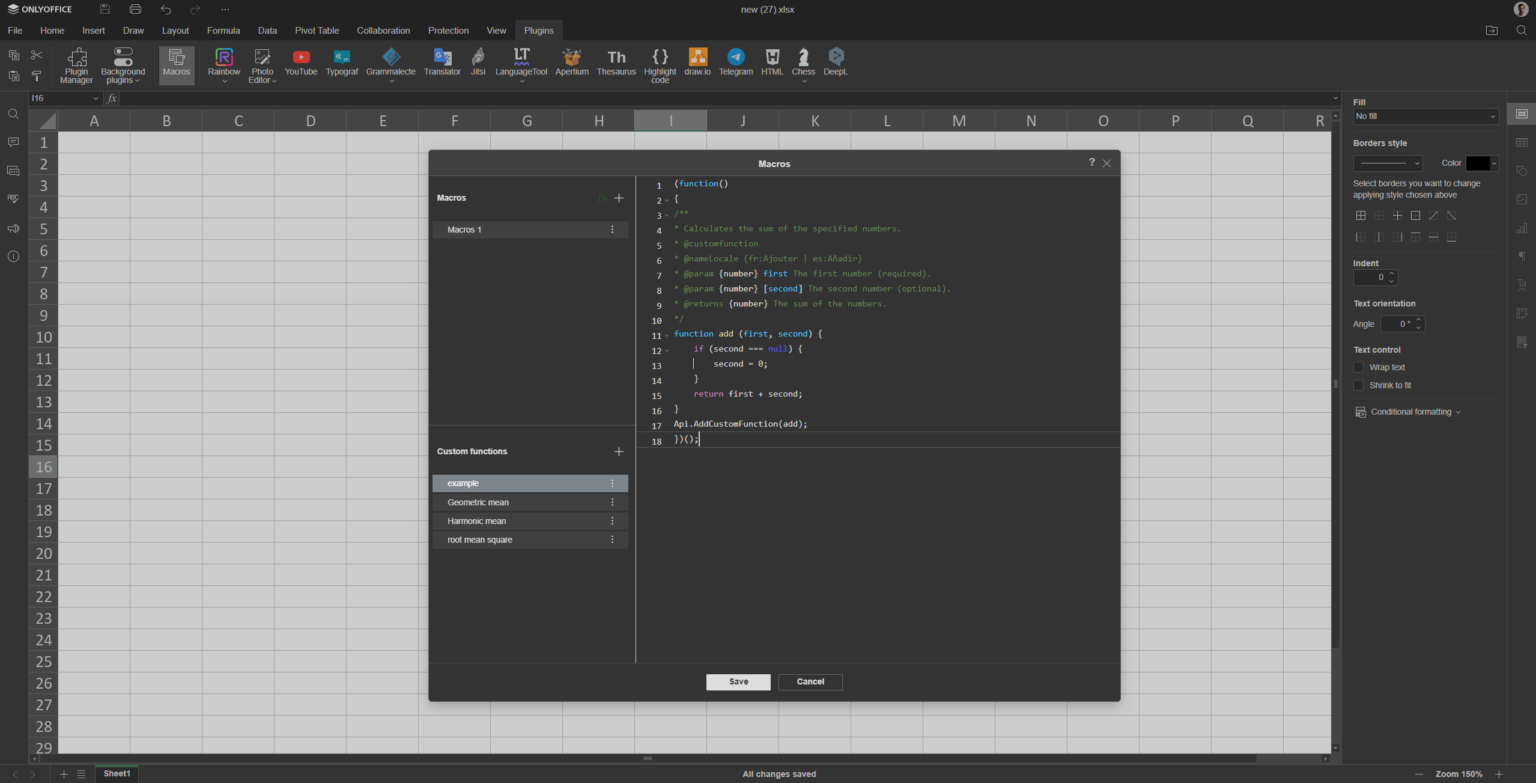
下面是我们在宏代码中使用该函数的方法:
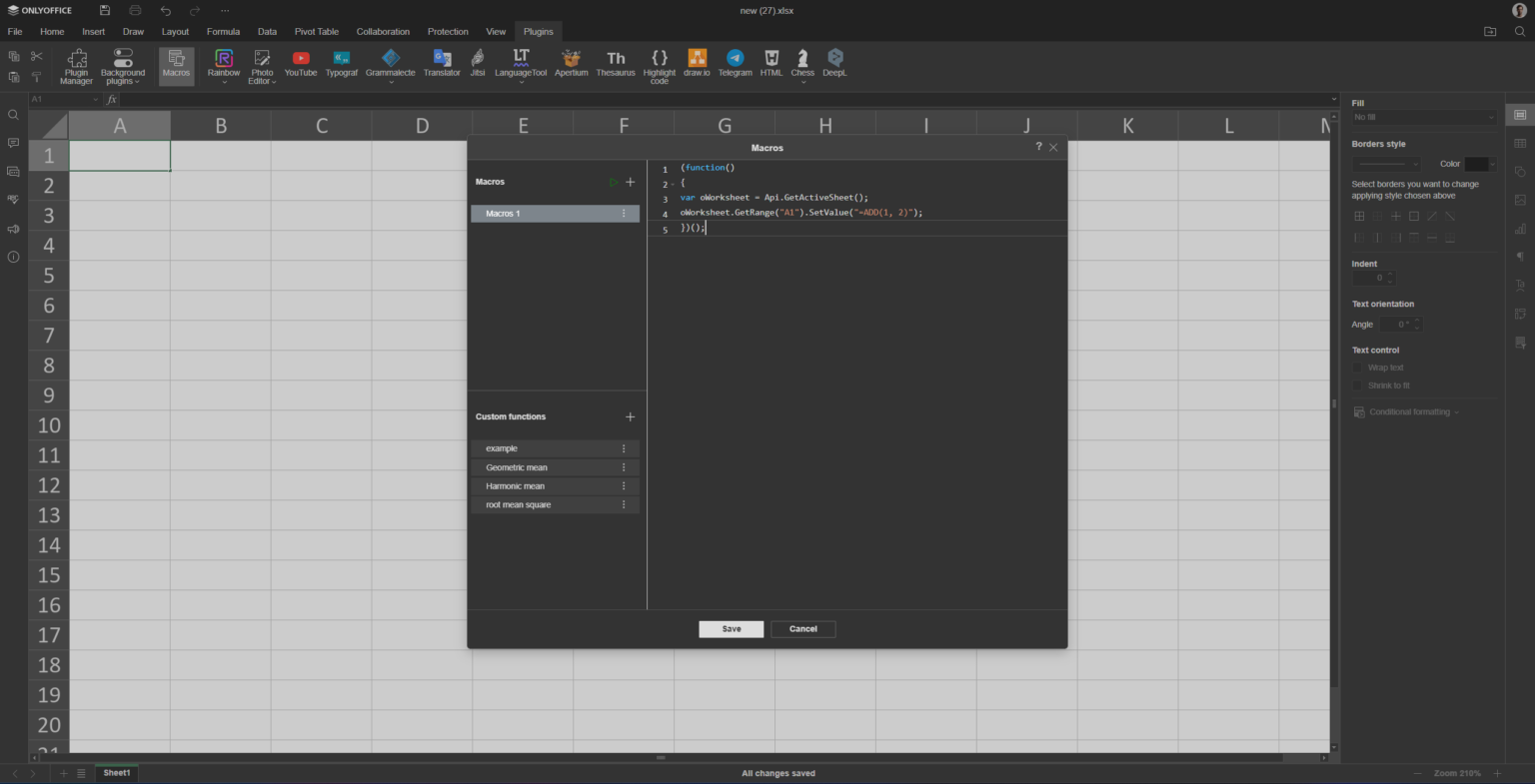
最后的结果是
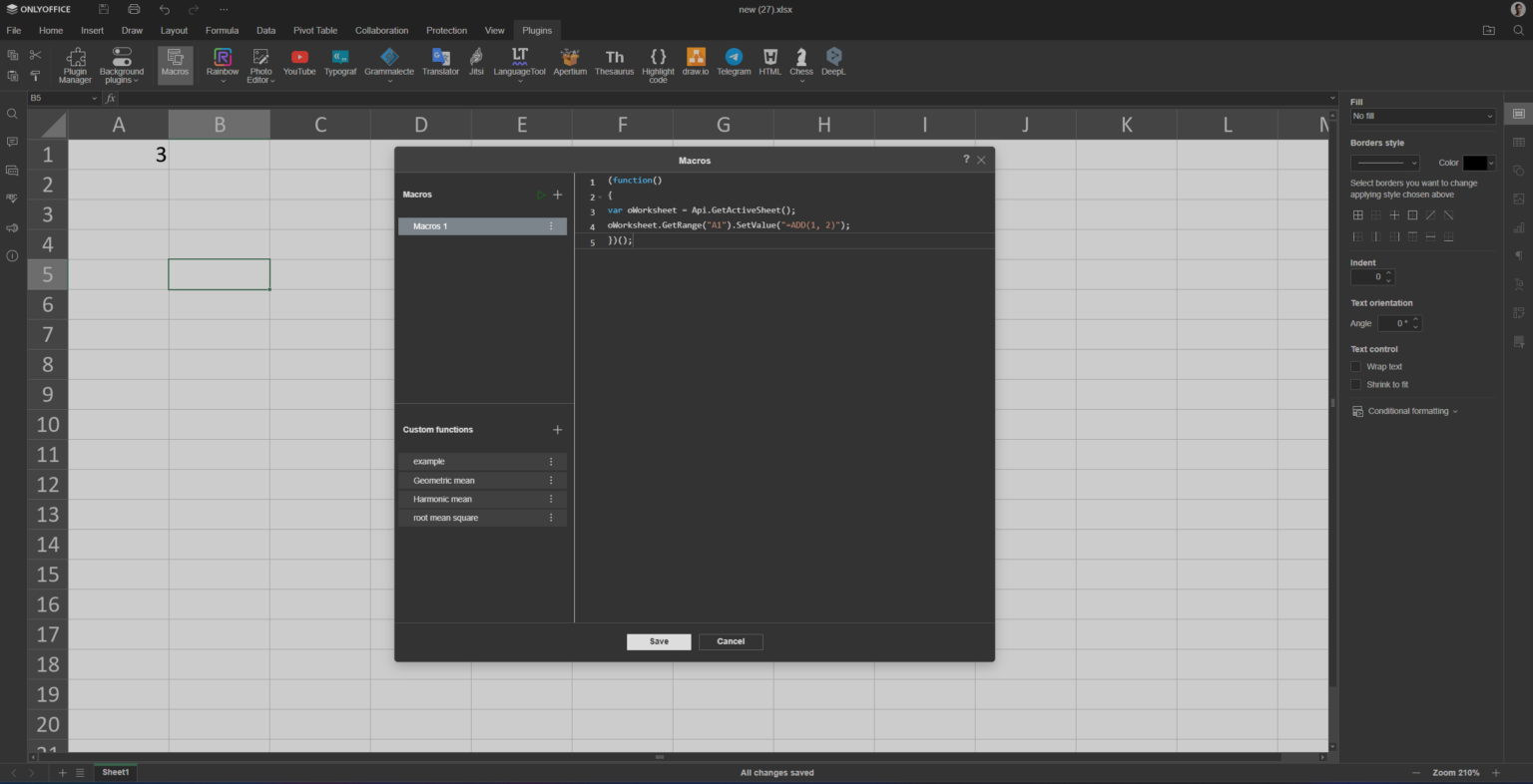
在哪里可以找到? 电子表格编辑器">"插件">"宏">"自定义函数"
更多示例
让我们进一步探索自定义函数的示例:
几何平均数
几何平均数是一种中心倾向度量,对于涉及乘法或跨越几个数量级的数据集非常有用。 它的计算方法是 N 个数乘积的 N 次方根:
GM=(∏i=1nxi)n1
让我们用 JavaScript 实现一个几何平均数的自定义函数。 我们将使用 Math.sqrt 方法:
(function()
{
   /**
     * Function that calculates the geometric mean of two numbers
     * @customfunction
     * @param {number} num1 The first number.
     * @param {number} num2 The second number.
     * @returns {number} The geometric mean of the two numbers.
    */
    function gm(num1, num2) {
        return Math.sqrt(num1 * num2);
    }
    Api.AddCustomFunction(gm);
})();
如您所见,我们使用 Api.AddCustomFunction 方法添加了 gm 函数,并使其在宏作用域中可执行。
现在,我们将在宏代码中调用它:
(function()
{
var oWorksheet = Api.GetActiveSheet();
oWorksheet.GetRange("A1").SetValue("=GM(16, 36)");
})();
调和平均数
调和平均数是对中心倾向的一种度量,适用于涉及速率或比率的数据集。 当数据值与某些单位(如速度(单位时间内的距离)或密度(单位体积内的质量))相关时,它尤其适用。
H=∑i=1nxi1n
以下是自定义函数的实现:
(function()
{
    /**
     * Function that calculates the harmonic mean of two numbers
     * @customfunction
     * @param {number} num1 The first number.
     * @param {number} num2 The second number.
     * @returns {number} The harmonic mean of the two numbers.
    */
    function hm(num1, num2) {
        return 2 / ((1 / num1) + (1 / num2));
    }
    Api.AddCustomFunction(hm);
})();
以及宏的实现:
(function()
{
var oWorksheet = Api.GetActiveSheet();
oWorksheet.GetRange("A1").SetValue("=HM(16, 36)");
})();
均方根
均方根(RMS)是对变化量大小的统计度量。 在数值可正可负的情况下,它尤其有用,因为您要测量的是不考虑符号的整体大小。
RMS=n1∑i=1nxi2
为了构建这个自定义函数,我们将再次使用 Math.sqrt 方法,但参数有所不同:
(function()
{
    /**
     * Function that calculates the root mean square (RMS) of two numbers
     * @customfunction
     * @param {number} num1 The first number.
     * @param {number} num2 The second number.
     * @returns {number} The root mean square (RMS) of the two numbers.
    */
    function rms(num1, num2) {
        return Math.sqrt((num1 ** 2 + num2 ** 2) / 2);
    }
    Api.AddCustomFunction(rms);
})();
然后我们在宏代码中调用该函数:
(function()
{
var oWorksheet = Api.GetActiveSheet();
oWorksheet.GetRange("A1").SetValue("=RMS(5, 8)");
})();
现在,让我们来看看这些自定义函数的运行情况!
我们希望这项新添加的功能成为您工具包中的宝贵财富,通过创建符合您需求的自定义功能来简化您的工作流程。 在ONLYOFFICE,我们的首要目标是通过实施创新工具和功能,使您能够脱颖而出。 如果您有任何问题或建议,请随时联系我们。 我们非常感谢您的意见,也欢迎您与我们讨论和合作。



 渝公网安备50010702505508